App connectors · App connectors
Stripe Dashboard — SSO via Thoryn (SAML)
Stripe Dashboard SSO. Stripe supports SAML 2.0 only; OIDC is not exposed for Dashboard auth.
- stripe
- saml
- finance
Tested against:hub: 1.0.0stripe: 2026 Q1
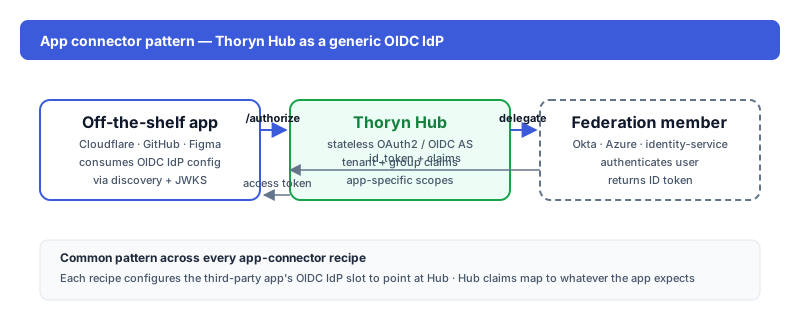
What you get
Stripe Dashboard team members authenticate via Thoryn. Reduces shared-credential risk on a high-impact financial-operations surface.
Setup
1. In Thoryn
hub saml-sp create \
  --name "Stripe Dashboard" \
  --acs-url "https://dashboard.stripe.com/login/saml/consume" \
  --entity-id "https://dashboard.stripe.com/login/saml/YOUR-ACCOUNT-ID" \
  --sign-assertions true
2. In Stripe
Account Settings → Team and security → SSO → Add IdP. Paste:
| Field | Value |
|---|---|
| Sign-in URL | https://hub.thoryn.org/saml/sso/<sp-id> |
| Issuer | https://hub.thoryn.org |
| Certificate | (X.509 from step 1) |
3. Attribute mapping
| Stripe field | SAML attribute |
|---|---|
email (NameID) | |
| First name | firstName |
| Last name | lastName |
| Role | (manage in Stripe; SSO doesn't propagate role) |
Caveats
- Roles stay in Stripe: SSO authenticates; team roles must be set in Stripe Dashboard. Don't try to push roles via SAML attributes.
- Owner can't be SSO-only: Stripe requires the account Owner to keep a password fallback for recovery.